Edit Your Videos Automatically
Upload raw footage. Get edited short-form videos back in minutes. ClipDone handles the cuts, b-roll, subtitles and animations.
Drop footage or click to browse
See how ClipDone edits your footage. No credit card required.
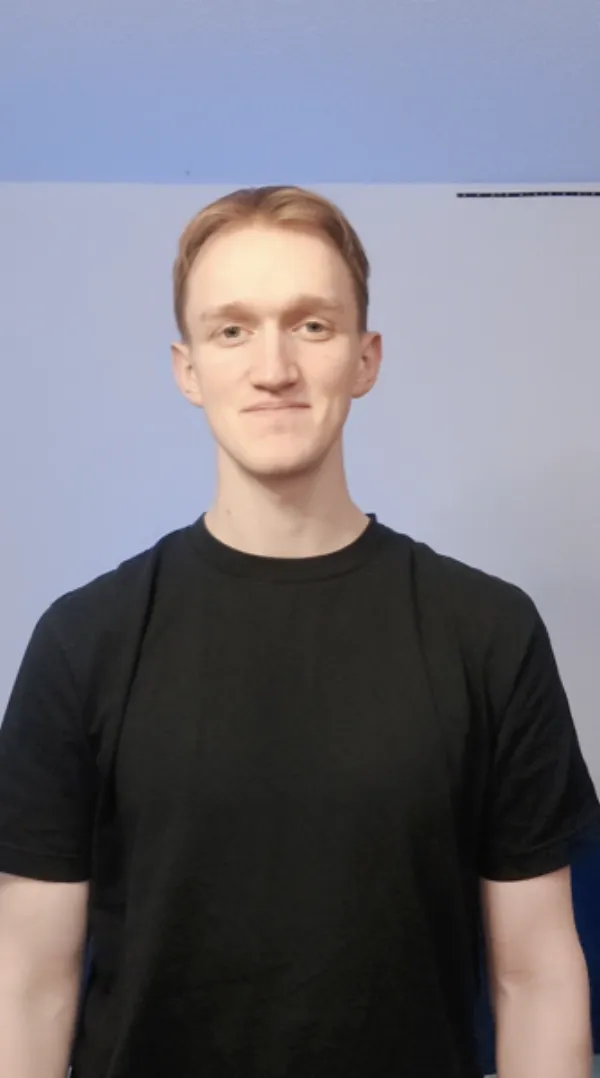
Create A Video Without Editing
See ClipDone transform unedited footage into a publish-ready clip with automatic cuts, captions, and B-roll.
What ClipDone Does
You upload footage and get a finished video.
Silence and Filler Removal
A large portion of recorded videos consists of silence, filler words, and false starts. ClipDone automatically detects and removes them.
“So we've been working on this umm for five months and the results have been like, really strong across channels.”
Smart Captions, B-Roll and Animations
ClipDone adds supporting footage to the right moments, generates subtitles and adds motion graphics.
We saw
Exponential
Growth
Chat with it
Write a note like ”Cut the intro shorter” or ”Add an animation here.” ClipDone adjusts and re-renders the video with your changes. .
Scale Your Short-Form Output
Creators
Record your raw content. Drop it in. Get a publish-ready short-form video in minutes.
Marketing Teams
Produce high-impact social clips at scale. Free up your team to focus on scripts and content strategy.
Agencies
Double client delivery speeds. Automate video cuts and captions to focus on scale and positioning.
UGC & Ads
Render dozens of hooks and iterations per campaign. Test more variants and optimize ad spend faster.
Produce More Videos, Faster
Create your first video. Scale to hundreds more without changing your workflow.
Drop footage or click to browse
See how ClipDone edits your footage. No credit card required.
Questions & Answers
How does the editing work?
Upload your recorded footage and optionally broll, script and music. The tool transcribes your footage, assembles it logically, and creates a professionally edited video based on your content.
Can I customize the editing style completely?
No. If you need pixel-perfect control over every transition and frame, this tool isn't for you. We provide a directed, high-quality 'taste' that works for 95% of social content, allowing you to scale without getting bogged down in details. Though you are able to customize the visual style to some extent, for example choosing between subtitle presets and color scheme of animations.
Can I add my own b-roll and music?
Yes! Upload any b-roll footage and background music during project creation and ClipDone will integrate them into your final video.
How long does processing take?
Processing time varies by length and complexity of footage and final video, but typically a 1-minute video is ready in 10-20 minutes. You'll see live progress updates.
What if I don't like a specific cut?
You can leave notes like 'remove this section' or manually tweak the subtitles. The tool will re-render the changes.
Ready To See Your Edit?
Drop your footage to get free access and a video edited by ClipDone.
Drop footage or click to browse
See how ClipDone edits your footage. No credit card required.